
Snowflake Cortex AI Services Cost Analyzer
Streamlit app in Snowflake to reconcile Cortex credits, compare model efficiency, and export auditable usage.

Git Repo Updated March 27, 20206: Adds dedicated tabs for Snowflake Agents/Intelligence and Cortex Code CLI usage.
AI adoption is now moving from experiments to enterprise deployments and that shift brings a new question: how do we grow AI confidently, knowing where and why spend occurs? In the cloud the right answer isn’t to slow things down it’s to effectively monitor and attribute them.
Organisations thriving with AI aren’t the ones that spend the most, but the ones that understand spend best, by service, by model, and by team. Transparent, trustworthy cost telemetry turns governance into enablement, guiding architecture decisions, prioritising model selections, and aligning budgets to outcomes. For Snowflake customers building on Cortex, this visibility is helps them to run AI that scales.
The Cortex AI Services Cost Analyzer was built to provide exactly that, an end-to-end view of AI service consumption that encourages AI adoption while maintaining financial discipline.
The Cortex AI Services Cost Analyzer is a Streamlit application designed to give Snowflake customers a unified, reconciled view of AI consumption across Cortex services. It surfaces a single source of truth for credits and usage, connecting the big picture, your AI Services baseline with the granular realities of individual services, models, and patterns over time.
Built for teams who need both precision and narrative, the Analyzer provides:
- A single reconciled credits view
- Model efficiency comparisons
- Daily/hourly trends
- Service-level insights
- Export ready raw data
All AI-related charges are categorized under the AI_SERVICES service type, which includes usage for Cortex AISQL Functions, Cortex Analyst, Cortex Search, and Document AI costs.
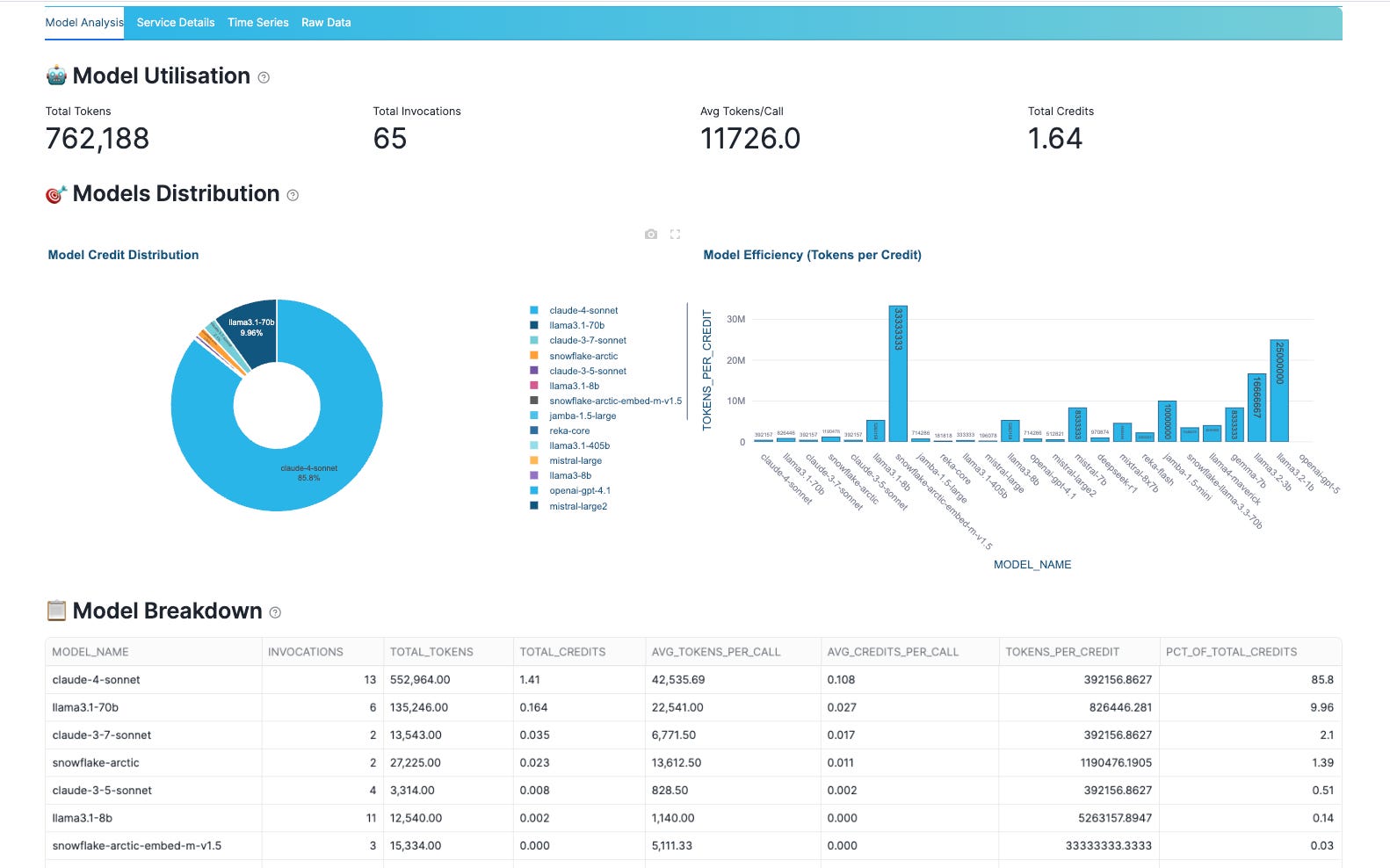
[Model Analysis tab displaying token efficiency comparison across LLMs]
Understanding when usage occurs matters as much as understanding where. Daily and hourly trends reveal peak windows, usage spikes, rollout effects, and cyclical patterns. Teams can correlate these trends with product events, batch schedules, or model rollouts to manage warehouse planning and align costs with real business activity.
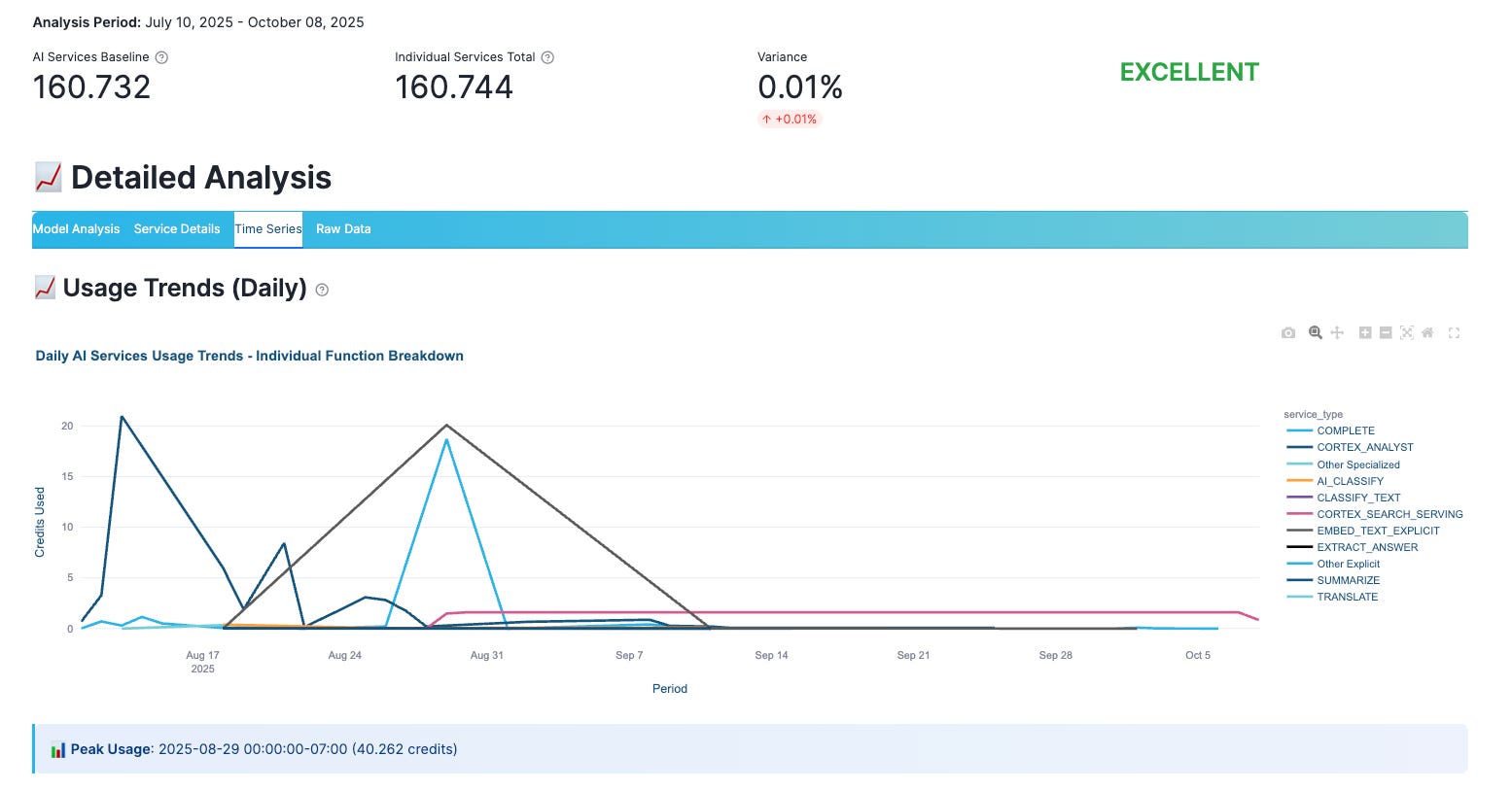
[Time Series analytics showing usage trends over time]
The Service Details view provides a comprehensive breakdown by Cortex services such as Cortex AISQL Functions, Cortex Analyst, Document AI, and Cortex Search, helping teams understand consumption patterns at the service level.
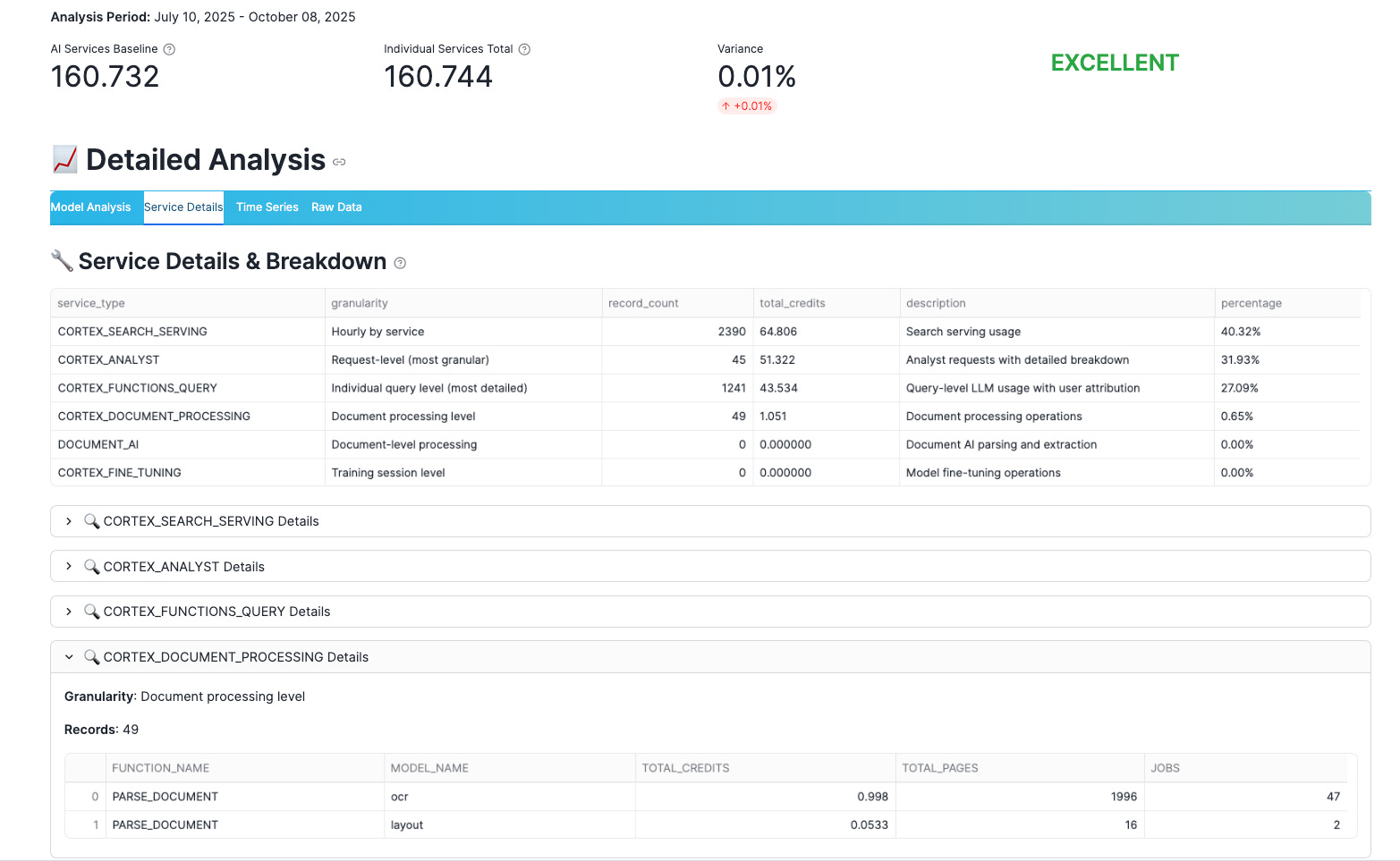
[Service Details breakdown with individual Cortex service consumption]
For finance partners, auditors, or centralized FinOps teams, the Raw Data tab enables detailed export to CSV or Excel, complete with unified credit calculations. This creates a seamless bridge from interactive exploration to downstream reporting, planning models, or automated controls.
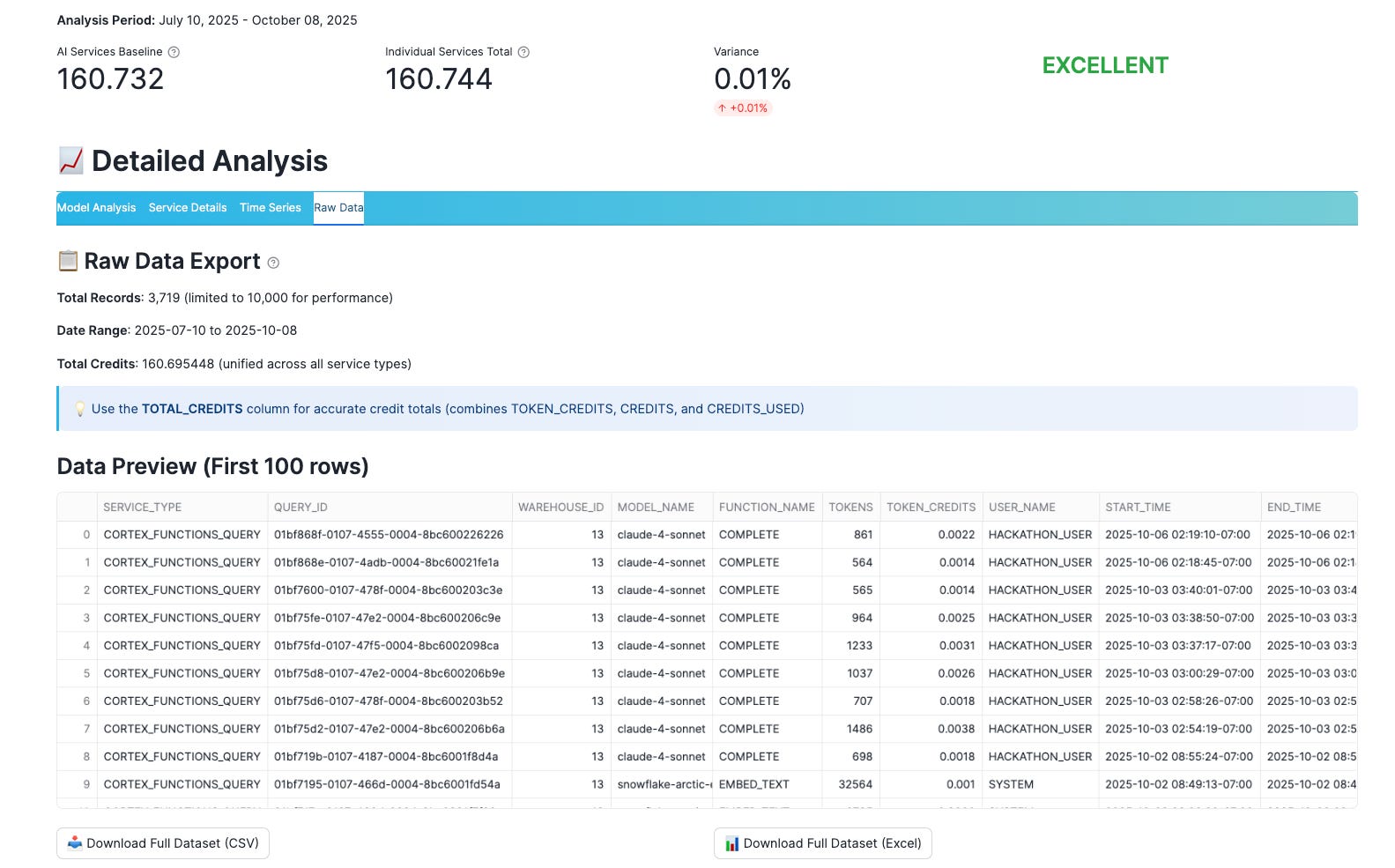
[Raw Data export interface with CSV/Excel download options]
### What You Can Do Next
- Deploy in Snowflake using the Snowflake CLI:
1. Authenticate: `snow login`
2. Prepare objects (database/schema/stage): `snow sql -f setup.sql`
3. Deploy the Streamlit app entity:
```shell
snow streamlit deploy cortex_cost_analyzer
```
- View the source code and contribute on GitHub: https://github.com/alexfrancisross/cortex-ai-services-cost-analyzer
Thanks for sharing, very useful app.I found in setup.sql the query for "-- Verify access to required tables" , there is a filter in first query ...AND SERVICE_TYPE LIKE '%CORTEX%' , but Snowflake Cortex services usage is tracked in the AI_SERVICES service type.